Blog

  • PrintMTG Review: A Better Way to Print MTG Proxy Cards

    TLDR

    • Print MTG makes it easy to turn a decklist into printed MTG proxy cards.
    • Cards are printed on black-core playing-card stock with a smooth finish, standard sizing, and clean cuts.
    • Tiered pricing makes the service especially appealing for Commander decks, Cubes, and larger playtesting orders.
    • Most orders are produced in about two business days, with standard and expedited shipping available.
    • PrintMTG is a strong choice for casual play, deck testing, custom cards, and protecting valuable originals.

    The hardest part of building a Commander deck should be deciding which card to cut. It should not be downloading 100 images, formatting print sheets, trimming cards by hand, and trying to make printer paper feel acceptable inside a sleeve.

    That is the problem PrintMTG solves.

    This PrintMTG review looks at the company’s current ordering system, pricing, materials, shipping policies, and published customer feedback. Based on those factors, PrintMTG is one of the strongest options available for players who want high-quality MTG proxy cards without turning the printing process into a separate hobby.

    What Is PrintMTG?

    PrintMTG is a print-on-demand service for Magic: The Gathering proxy cards and custom card designs. Players can paste or upload a decklist, search for individual cards, choose specific printings, adjust quantities, and order professionally printed cards.

    The service is intended for casual Commander games, Cube drafts, kitchen-table Magic, deck testing, and other proxy-friendly environments. It is not presented as a source of official cards or cards for sanctioned tournaments.

    That distinction matters. PrintMTG is trying to make useful playtest cards, not counterfeits. The cards are designed to look good, read clearly, fit normal sleeves, and handle like proper trading cards while remaining distinguishable from authentic Magic cards.

    The Decklist Ordering System Is the Main Attraction

    The best feature of PrintMTG may not be the printing itself. It may be how little work it takes to place an order.

    Instead of uploading every card image one at a time, customers can paste or upload a decklist. PrintMTG then lets them select quantities and choose the set, artwork, or printing they prefer.

    This is especially useful for Commander. A player can take a list from a deckbuilding website, import it, review the available versions, and move directly toward checkout. There is no need to build print sheets or manually arrange card images.

    The same system works well for:

    • Complete Commander decks
    • Cube lists
    • Preconstructed deck upgrades
    • Playtesting packages
    • Expensive staples
    • Tokens and emblems
    • Multiple versions of the same deck

    Pricing also updates as the order grows. That gives customers a clear idea of what the deck will cost before they reach checkout. And because there is no minimum order, the service works for both a few replacement cards and a full Cube.

    It is a much calmer process than preparing proxies at home. You spend your time choosing cards and artwork rather than checking crop marks.

    Print Quality Is Built Around Actual Play

    A proxy card can have attractive artwork and still be frustrating to use. Poorly cut cards catch on sleeves. Thin paper shifts around. Inconsistent sizing can make certain cards noticeable while shuffling.

    PrintMTG addresses those problems with S33 German black-core playing-card stock, a smooth UV satin finish, standard trading card dimensions, and consistent cutting and corner rounding. The goal is for the cards to stack evenly, fit standard sleeves, and shuffle without individual cards standing out.

    Black-core stock is an important detail. Basic homemade proxies are often printed on office paper and placed in front of bulk cards. That method works, but it adds an extra layer inside the sleeve and can create an uneven deck.

    PrintMTG cards are complete game pieces. They do not need a donor card behind them to provide structure.

    The finish also helps the cards feel closer to normal trading cards. PrintMTG does not claim that its proxies are exact replicas. Instead, the company focuses on the parts that matter during play:

    • Clear rules text
    • Sharp mana symbols
    • Strong artwork reproduction
    • Consistent card dimensions
    • Smooth handling
    • Clean edges and corners
    • Reliable in-sleeve performance

    An independent Draftsim test reached a similar conclusion. Its reviewer found that the cards looked crisp, used high-resolution artwork, and reproduced several different frame styles clearly. The review did note minor corner wear in that particular shipment, but described the issue as small and unlikely to matter inside sleeves.

    That is a useful distinction. These are cards intended to be shuffled and played, not placed in graded slabs.

    PrintMTG Pricing Rewards Full-Deck Orders

    PrintMTG uses quantity-based pricing. The more cards included in an order, the lower the price per card.

    As of July 2026, the published pricing is:

    Order QuantityPrice Per Card
    2–9 cards$2.00
    10–29 cards$1.50
    30–49 cards$1.25
    50–74 cards$1.00
    75–99 cards$0.80
    100–199 cards$0.55
    200–499 cards$0.45
    500–999 cards$0.35
    1,000 or more$0.30

    PrintMTG also advertises free shipping on orders over $75. Prices can change, so customers should confirm the current total before ordering.

    This pricing structure makes PrintMTG particularly appealing for Commander players. A 100-card order reaches the $0.55 tier, making it practical to print a full deck, a package of tokens, and a few alternate cards without paying several dollars for every individual proxy.

    The value becomes even stronger for Cube owners. Printing several hundred cards reduces the unit cost considerably while keeping the card stock, finish, and cutting consistent across the entire environment.

    PrintMTG also publishes a best-price guarantee for comparable U.S. proxy orders. The company compares the delivered price, including shipping, when reviewing an eligible competitor offer. That is a reassuring policy for customers placing larger orders.

    The Custom MTG Card Maker Adds Real Flexibility

    PrintMTG is not limited to copies of existing cards.

    Its MTG Card Maker allows users to create custom cards, upload artwork, edit card information, adjust the image position, and preview the design before printing. Available formats include modern, vintage, box topper, Mystical Archives, and full-art frames.

    This opens the service to more than conventional proxy decks.

    Players can use the custom card tools for:

    • Original Cube cards
    • Custom commanders
    • Personalized tokens
    • Alternate-art cards
    • Playtest designs
    • Rule-zero cards
    • Gifts for members of a playgroup
    • Fan-made expansions

    The live editing system removes much of the technical formatting work. Users still need to proofread their designs and use suitable artwork, but they do not need advanced layout software to produce a clean card frame.

    For players who enjoy designing custom Magic cards, that feature gives PrintMTG considerably more range than a basic proxy storefront.

    Turnaround Times Are Clear and Practical

    PrintMTG says most orders are produced in about two business days. Standard U.S. shipping typically takes another three to seven business days, putting the usual total delivery window at roughly five to nine business days.

    UPS 2nd Day Air and UPS Next Day Air may also be available for customers with tighter deadlines. PrintMTG recommends contacting support before ordering when cards are needed for a particular event or date.

    No custom printer can guarantee that every order will follow the same schedule. Large jobs, unusual custom cards, and busy production periods may take longer. But PrintMTG does a good job of publishing realistic estimates rather than hiding production time behind a vague shipping promise.

    Customers also receive tracking once the order ships.

    For a custom-printed product, that is a fast and straightforward process.

    The Quality Guarantee Builds Confidence

    Printing mistakes can happen. The important question is what the printer does next.

    PrintMTG publishes a quality guarantee covering issues such as printing defects, finishing problems, incorrect cutting, packaging errors, and shipping damage. When an issue is caused by PrintMTG, the company says it will reprint the affected order at its own cost.

    The published quality standards include:

    • Sharp, readable printing
    • Consistent color and finish
    • Clean cuts
    • Uniform corners
    • Correct products and quantities
    • Protective packaging

    This is one of the stronger parts of the service. A proxy printer can talk about card quality all day, but a clear reprint policy tells customers what happens when the finished product misses the mark.

    PrintMTG also maintains a public Trust Center with information about shipping, payments, refunds, privacy, proxy use, intellectual property, and customer support. That level of policy transparency makes the company feel established and accountable.

    Customer Feedback Is Very Positive

    PrintMTG’s current public customer feedback is encouraging.

    As of July 15, 2026, its Trustpilot page showed 11 reviews, with every listed rating at five stars. Customers repeatedly praised the ordering system, sharp text, strong colors, cardstock quality, pricing, and delivery speed. The sample size is still small, so it should not be treated like a database of thousands of reviews, but the early feedback is consistently positive.

    The comments also line up with the company’s stated priorities. Customers are not only saying that the artwork looks good. They are mentioning the card feel, corners, readability, bulk ordering process, and turnaround.

    Those are the details that tend to separate a useful proxy from a pretty piece of printed paper.

    Who Should Use PrintMTG?

    PrintMTG is a particularly good fit for several types of players.

    Commander Players

    Commander decks are expensive, change frequently, and often contain cards shared between several lists. PrintMTG makes it practical to print an entire deck or create additional copies of staples that would otherwise need to move between sleeves every week.

    Cube Owners

    A Cube requires a large number of cards with consistent size and handling. PrintMTG’s bulk pricing and uniform production process make it a strong option for custom Cubes, high-powered Cubes, and environments built around cards that would be unreasonable to purchase in quantity.

    Competitive Deck Builders

    Testing an expensive Modern, Legacy, or cEDH list before buying it is sensible. Printed playtest cards allow players to identify weak cards, test sideboard plans, and make changes without placing a large order through a singles marketplace.

    The proxies are still not legal for sanctioned play, but they can make preparation much easier.

    Players Protecting Valuable Cards

    Some players own the real cards but do not want to shuffle a Reserved List card or expensive foil during casual games. A clearly marked proxy lets the original remain stored safely while the deck remains playable.

    Custom Card Designers

    The built-in card maker makes PrintMTG useful for people creating custom commanders, tokens, Cube cards, or gifts. It is considerably easier than building every frame manually in graphics software.

    What Should You Know Before Ordering?

    This is a very positive PrintMTG review, but there are still a few reasonable limitations.

    First, PrintMTG proxies are not intended for sanctioned tournaments. Check with the store, organizer, or playgroup before bringing proxies to an event.

    Second, each order is custom printed. Customers should carefully review card names, quantities, artwork choices, and uploaded files before checking out. A printer can correct its own production error, but it cannot automatically know that a customer selected the wrong version.

    Third, international shipping is handled by request rather than through the standard checkout process. U.S. customers have the simplest ordering experience.

    None of these points are unusual for a custom proxy service. They are simply worth understanding before placing an order.

    Final Verdict: PrintMTG Is Easy to Recommend

    PrintMTG gets the important parts right.

    The cards are produced on proper playing-card stock. The ordering system is built around decklists rather than individual file uploads. Customers can select artwork, print entire decks, design custom cards, and take advantage of meaningful bulk discounts.

    The published production time is fast. The quality and reprint policies are clear. And independent reviewers and customers have consistently praised the print clarity and card feel.

    Most importantly, PrintMTG understands how Magic players actually use proxies. Players are not looking for an elaborate printing project. They want to test a deck, protect an expensive card, build a Cube, or play another Commander list without spending hundreds or thousands of dollars first.

    PrintMTG makes that process simple.

    Overall Rating: 9.5/10

    For Commander decks, Cube projects, casual play, and serious deck testing, PrintMTG is one of the easiest MTG proxy printing services to recommend.

    Frequently Asked Questions

    Is PrintMTG Legit?

    Yes. PrintMTG operates a functioning custom printing service with public contact information, detailed policies, order tracking, a quality guarantee, and current independent customer reviews.

    Do PrintMTG Cards Feel Like Real Magic Cards?

    PrintMTG uses black-core playing-card stock, a smooth UV satin finish, standard trading card sizing, and rounded corners. The cards are intended to feel close to normal MTG cards when sleeved, although they are not official Magic cards.

    Can I Upload an Entire Commander Deck?

    Yes. Customers can paste or upload a decklist, select the preferred card versions, adjust quantities, and order the complete list.

    Are PrintMTG Proxies Tournament Legal?

    No. They are intended for casual play, Cube, playtesting, and other situations where proxies are allowed. Sanctioned tournaments normally require authentic cards, except for limited judge-issued replacements.

    Can I Create My Own Custom Magic Cards?

    Yes. PrintMTG includes a card maker with editable text, artwork uploads, multiple frame styles, and a live preview.

    How Long Does PrintMTG Shipping Take?

    Most orders are produced in about two business days. Standard U.S. delivery usually takes about five to nine business days in total, although large orders and busy production periods may take longer.

    References

    • PrintMTG homepage, current pricing, materials, and ordering workflow.
    • PrintMTG proxy printing guide and frequently asked questions.
    • PrintMTG production and finishing process.
    • PrintMTG shipping policy.
    • PrintMTG best-price guarantee.
    • Draftsim hands-on PrintMTG review.
    • Trustpilot customer reviews for PrintMTG.

    Intent Sentence

    This post helps Magic players evaluate PrintMTG by explaining its card quality, ordering system, pricing, turnaround, and policies, so they can choose an MTG proxy printing service with confidence.

    SEO Pack

    SEO Focus Keyphrase:
    PrintMTG review

    SEO Title:
    PrintMTG Review: High-Quality MTG Proxies Made Easy

    Meta Description:
    This PrintMTG review covers card quality, decklist ordering, pricing, shipping, and why it is a strong choice for MTG proxy cards.

    Slug:
    printmtg-review

    Excerpt:
    Our PrintMTG review examines its card quality, decklist ordering tools, bulk pricing, custom card maker, shipping, and customer support.

    SEO Tags:
    PrintMTG review, MTG proxy cards, Magic proxy printing, custom MTG cards, Commander proxies, MTG playtest cards, MTG card printer
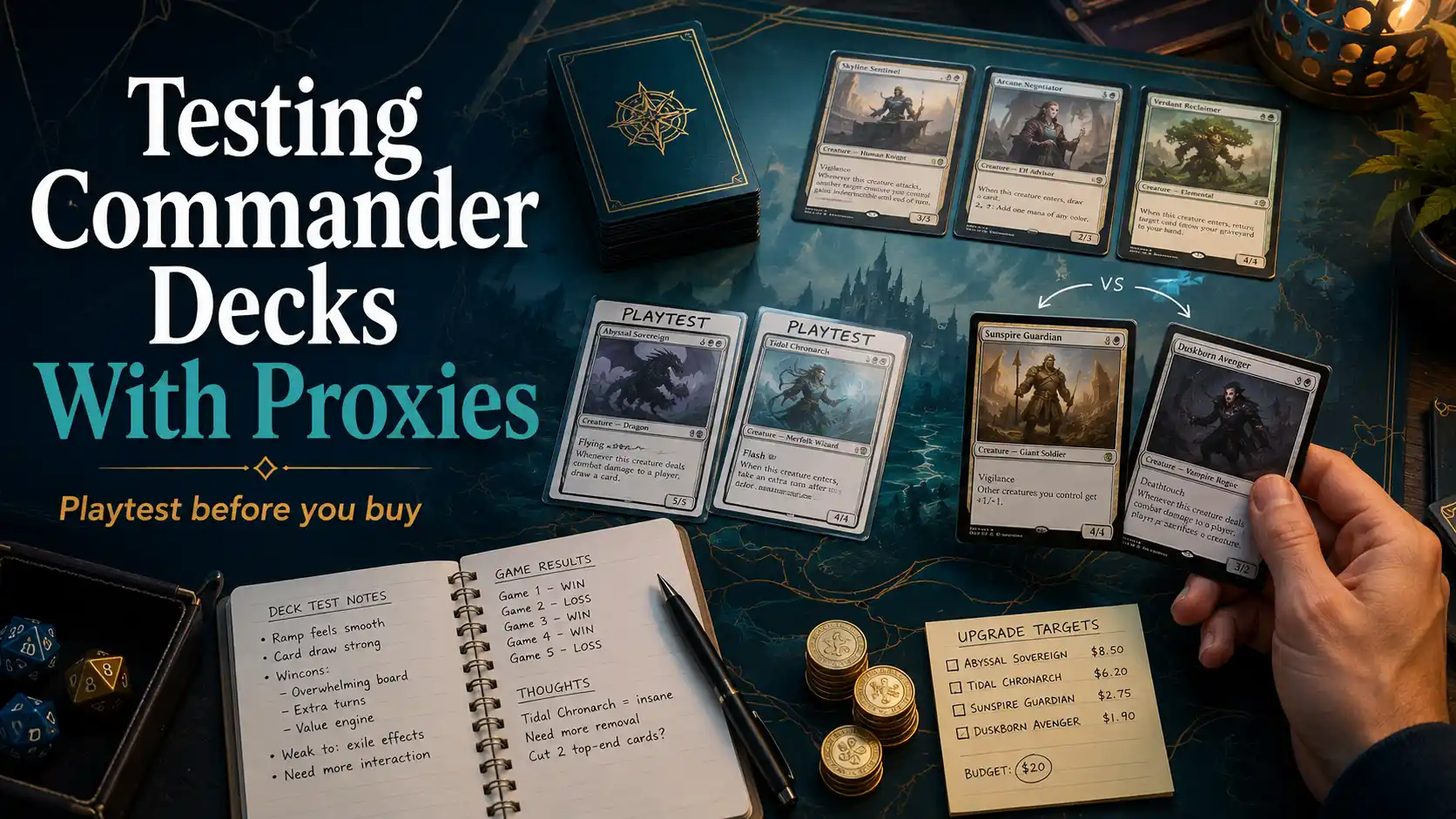
  • How to Use MTG Proxies to Test a Commander Deck Before Buying Cards

    How to Use MTG Proxies to Test a Commander Deck Before Buying Cards

    TLDR

    • MTG proxies are best used as playtest cards before you commit money to expensive Commander upgrades.
    • Start by testing cards that answer a real deckbuilding question, not every strong card you can think of.
    • Tell your pod before the game, keep proxy cards readable, and avoid surprising people with a much higher-power deck.
    • Track whether each proxy actually improves your deck, then decide whether to buy, cut, or keep testing.

    Buying the wrong Commander card feels bad in a very specific way. You sleeve it up, draw it twice, realize it does not fit your deck, and then quietly move it to the “maybe someday” box. The box grows. The lesson repeats.

    That is the practical reason to learn how to use MTG proxies to test a Commander deck before buying cards. Proxy cards are not just a budget workaround. Used well, they are a deckbuilding tool. They let you test mana bases, expensive staples, narrow combo pieces, and splashy finishers before you spend money on cards your deck may not even want.

    The key phrase is “used well.” A pile of random proxies can make testing messier, not clearer. But a small, honest testing plan can tell you a lot. Does this tutor make the deck too consistent? Does this shock land actually matter? Does this seven-mana finisher end games, or does it sit in your hand while everyone else does useful things?

    That is what we are solving here.

    Why MTG Proxies Work So Well for Commander Deck Testing

    Commander is a strange format for card buying because the cards are not only judged by raw power. A card can be strong and still be wrong for your deck. Another card can look mediocre until your commander turns it into the exact piece you needed.

    That is why MTG proxies are useful. They let you test the card in the real context: your commander, your mana base, your curve, your playgroup, and your normal pace of games.

    A proxy, in this context, is a stand-in card. It should be clear, readable, and obvious to everyone at the table. It is not a counterfeit. It is not something you pass off as real. For casual Commander testing, the clean version is simple: “I’m testing these cards before buying them. Are you good with that?”

    For sanctioned events, treat proxies differently. Official tournament play has its own card legality rules, and player-made proxies are not the same thing as legal tournament cards. This article is about casual Commander deck testing, not using proxies where they are not allowed.

    How to Use MTG Proxies to Test a Commander Deck With a Clear Plan

    The best way to use MTG proxies to test a Commander deck is to start with one question.

    Not ten questions. Not “what if I rebuilt the whole deck with a pretend unlimited budget?” One question.

    Try these:

    • Is my mana base good enough for a three-color deck?
    • Do I need another board wipe?
    • Is this expensive staple actually better than my current card?
    • Does this combo piece improve the deck, or does it make games less fun?
    • Is this new commander worth building around?

    That question gives the test a shape. Without it, you end up proving that good cards are good, which is true but not very helpful.

    A simple testing note can look like this:

    Card being tested: Teferi’s Protection
    Card being replaced: Heroic Intervention
    Question: Is the extra protection worth the higher price and white requirement?
    Result after three games: Saved the board once, sat dead once, was win-more once.

    That tells you something. You may still buy the card. You may not. But now the choice is based on games, not vibes and forum confidence.

    Start With Expensive Staples, Mana Bases, and Narrow Upgrades

    Do not proxy random cards just because they are famous. Proxy cards that could change a real purchase decision.

    The best candidates usually fall into four groups.

    First, test expensive mana base pieces. Lands are some of the easiest cards to overbuy because they feel universally safe. And many are strong. But your actual deck may not need every premium land right away. A two-color deck, a green ramp deck, and a low-curve three-color deck do not ask the same things from a mana base.

    Shock lands are a clean example. They are strong because they can enter untapped and have basic land types. But before buying into a full package, it helps to understand which ones matter for your colors and fetch patterns. The existing list of shock lands in MTG is a good companion piece for that part of the process.

    Second, test format staples that may raise your deck’s power level. Tutors, fast mana, free interaction, and hyper-efficient protection can change how a deck plays. Sometimes that is the point. Sometimes it turns a fun mid-power list into something your normal table did not sign up for.

    Third, test commander-specific cards. These are the cards that look bad everywhere else but perfect in your list. They are often harder to evaluate by reading. You need to draw them, cast them, and see whether they solve an actual problem.

    Fourth, test narrow finishers. Big splashy spells are seductive. Commander players are only human. But an eight-mana “win the game eventually” card needs to do real work. Proxy it first and see how often it gets stranded.

    Use Proxies to Test Your Mana Base, Not Just Spells

    Mana testing is less exciting than testing a new dragon, but it may win more games. Or at least prevent more games where you stare at three lands and four uncastable spells like your deck is making a personal attack.

    When testing mana with proxies, watch for practical problems:

    • Can you cast your commander on time?
    • Are you missing one color too often?
    • Do too many lands enter tapped in the first three turns?
    • Are pain lands, fetch lands, shock lands, or triomes actually improving the opening turns?
    • Are you taking too much damage from your own lands in aggressive pods?

    The point is not to build the most expensive mana base possible. The point is to build the mana base your deck needs.

    For a casual two-color Commander deck, a perfect mana base may be unnecessary. For a three-color deck with early colored pips, the difference between “fine” and “actually good” is much larger. Proxy testing helps you find that line before you buy cards that may only improve the deck on paper.

    Talk to Your Pod Before the Game Starts

    Proxy testing works best when nobody feels ambushed.

    A quick pregame note is enough most of the time:

    “I’m testing six proxy cards in this deck before buying them. They’re all readable, and nothing is meant to push the deck past our usual power level.”

    That sentence does a lot. It tells people what is happening, how many cards are involved, and what kind of game you are trying to play.

    For higher-power tests, be more direct:

    “This version has proxy fast mana and a couple tutors. It is probably stronger than the normal build. Is this the kind of game we want right now?”

    That is not overexplaining. That is basic table maintenance. Commander already runs on expectations. Proxies just make those expectations more important because they can remove normal budget limits.

    The awkward part is not using proxies. The awkward part is acting like proxies do not change anything when they clearly do.

    Run Three Kinds of Test Games

    One game is not enough. Commander has too much variance. You can draw the proxy at the wrong time, get mana screwed, get targeted early, or win before the test card matters.

    A better testing plan uses three types of games.

    Goldfish Games

    Goldfishing means playing opening turns by yourself with no opponents. It is not a real game, but it is useful for mana and curve testing.

    Use goldfish games to answer simple questions:

    • How often do you keep opening hands?
    • Can you cast early ramp and setup spells?
    • Does the deck have too many tapped lands?
    • Does the proxy card fit naturally into the curve?

    This is not where you decide whether a card is fun. It is where you find obvious mechanical problems.

    Normal Pod Games

    Next, test in your usual playgroup. This matters because your pod has its own pace. Some tables durdle. Some tables punish slow starts. Some tables let engines live. Some tables kill every commander on sight and call it friendship.

    Normal games tell you whether the proxy card fits the environment you actually play in.

    Stress Test Games

    Finally, test against the thing your deck struggles with. If your deck loses to creature swarms, test against go-wide boards. If your deck folds to graveyard value, test against graveyard decks. If you are trying to decide how many sweepers you need, the existing post on why board wipes matter more in Commander is a useful related read.

    Stress testing prevents false confidence. A card can look great in a slow, friendly game and still fail the moment the table applies pressure.

    Track Results Without Turning Commander Into Homework

    You do not need a spreadsheet unless you enjoy spreadsheets. And if you do, that is between you and your mana curve.

    A small note after each game is enough:

    • Did I draw the proxy?
    • Did I cast it?
    • Was it better than the card it replaced?
    • Did it solve the problem I was testing?
    • Did it make the game better, worse, or just different?

    That last question matters in Commander. A card can improve your win rate and still make your deck less enjoyable for your table. That does not mean you can never play it. It just means you should be honest about what the card does to the experience.

    A good proxy test gives you one of four outcomes:

    • Buy the card because it clearly improves the deck.
    • Skip the card because it did not perform.
    • Keep testing because the sample size is too small.
    • Rebuild the deck because the test revealed a bigger issue.

    That fourth result happens more often than people expect. Sometimes the problem is not the one expensive card you do not own. Sometimes the problem is your curve, ramp, card draw, or threat density. Proxies can expose that quickly.

    Common Mistakes When Testing Commander Proxies

    The first mistake is proxying too many cards at once. If you swap in 25 proxies, you are not testing upgrades anymore. You are testing a different deck. That can be fine, but call it what it is.

    The second mistake is only testing cards when you are ahead. A good Commander card should often be useful when you are behind, stable, or trying to close. If a proxy only looks good when everything is already working, it may be a luxury slot.

    The third mistake is ignoring replacement cost. The new card does not just need to be good. It needs to be better than the card you cut. Commander decks are full of “pretty good” cards. The hard part is making the last ten slots honest.

    The fourth mistake is hiding the ball on power level. If your proxy package adds Mana Crypt-style acceleration, premium tutors, and free interaction, your deck may not belong in the same game it did last week. That is not a moral failure. It is just something the table should know.

    The fifth mistake is treating online opinions as final. Commander advice is useful, but your deck is local. Your pod, pace, budget, and tolerance for certain play patterns matter.

    A Simple Proxy Testing Framework

    Use this framework when you are unsure where to start:

    1. Pick one deckbuilding question.
    2. Choose three to eight proxy cards that relate to that question.
    3. Replace specific cards, not random flex slots.
    4. Tell the table what you are testing.
    5. Play at least three real games.
    6. Write one sentence after each game.
    7. Buy, cut, or keep testing.

    That is enough structure for most Commander players. It keeps the test useful without turning a casual format into a lab report.

    For example, say you are testing whether your Esper deck needs better interaction. You proxy three cards: Fierce Guardianship, Cyclonic Rift, and Toxic Deluge. You cut three existing interaction spells. After several games, you may find that Toxic Deluge fixes a real problem, Cyclonic Rift is strong but not needed, and Fierce Guardianship pushes the deck into a power band your table does not enjoy.

    That is a successful test even if you only buy one card.

    Final Thoughts

    Learning how to use MTG proxies to test a Commander deck is really about slowing down before you buy. Commander rewards experimentation, but the secondary market does not refund you just because your “obvious upgrade” turned out to be clunky.

    Start with a clear question. Test cards that matter. Keep the proxies readable. Talk to your pod. Then judge the cards by what they actually do in games.

    Some cards will earn the purchase. Some will not. And occasionally, a proxy will teach you that your deck did not need a flashy upgrade at all. It needed two more lands and a cheaper draw spell. Not glamorous, but very Commander.

    FAQs

    Are MTG proxies legal in Commander?

    In casual Commander, proxy use depends on the group, store, or event organizer. Ask before the game. Commander has a strong pregame conversation culture, so proxies should be discussed openly with power level, banned cards, and other expectations.

    Can I use MTG proxies at FNM or sanctioned tournaments?

    For sanctioned Magic events, use authentic legal Magic cards unless a judge issues an official tournament proxy for a narrow tournament-specific reason. Player-made proxy cards are for casual playtesting, not sanctioned tournament substitution.

    How many proxies should I test at once?

    For normal deck tuning, three to eight proxies is a good range. That is enough to compare upgrades without turning the deck into a completely different list. For a full rebuild, proxy more cards, but treat the session as a new deck test.

    Should I proxy cards I do not own?

    For casual testing, many groups allow players to proxy cards they are considering buying or trying. Some groups only allow proxies for cards a player already owns. There is no universal Commander table rule, so ask your group directly.

    What should an MTG proxy card include?

    At minimum, an MTG proxy should include the card name, mana cost, type line, rules text, power and toughness if needed, and anything else required to play clearly. The card should be easy to identify and should not be presented as authentic.

    Do proxies make Commander decks too strong?

    They can. Proxies remove budget as a deckbuilding limit, which can push a deck higher in power very quickly. That is why it helps to disclose proxy cards before the game and test upgrades in a way that matches the table’s expectations.

  • List of Shock Lands in MTG

    If you need a list of shock lands, here it is in plain English. Shock lands are the ten rare Ravnica dual lands that can enter untapped if you pay 2 life. If you do not pay, they enter tapped. Clean, efficient, mildly painful. Which, to be fair, describes a lot of Magic mana bases.

    What makes shock lands special is not just speed. Each one also has two basic land types, which means they work with fetch lands and other cards that care about Plains, Island, Swamp, Mountain, or Forest. That is why these lands keep showing up in serious mana bases instead of being remembered fondly for five minutes and then replaced by some new cycle with an overly cute nickname.

    The Full List of Shock Lands

    Here is the full list of shock lands in MTG:

    • Hallowed Fountain: White and blue. Land types: Plains Island.
    • Watery Grave: Blue and black. Land types: Island Swamp.
    • Blood Crypt: Black and red. Land types: Swamp Mountain.
    • Stomping Ground: Red and green. Land types: Mountain Forest.
    • Temple Garden: Green and white. Land types: Forest Plains.
    • Godless Shrine: White and black. Land types: Plains Swamp.
    • Steam Vents: Blue and red. Land types: Island Mountain.
    • Overgrown Tomb: Black and green. Land types: Swamp Forest.
    • Sacred Foundry: Red and white. Land types: Mountain Plains.
    • Breeding Pool: Green and blue. Land types: Forest Island.

    If you prefer the guild version, the same list lines up exactly with the ten Ravnica guilds. Azorius gets Hallowed Fountain. Dimir gets Watery Grave. Rakdos gets Blood Crypt. Gruul gets Stomping Ground. Selesnya gets Temple Garden. Orzhov gets Godless Shrine. Izzet gets Steam Vents. Golgari gets Overgrown Tomb. Boros gets Sacred Foundry. Simic gets Breeding Pool. Nice and organized. Ravnica loves paperwork.

    Why Shock Lands Matter

    Shock lands do three useful things at once.

    First, they fix two colors. Obvious, yes, but still important. If your deck needs two colors early and consistently, shock lands help it stop tripping over its own shoelaces.

    Second, they can come in untapped when tempo matters. Paying 2 life is often worth it when you need to hold up interaction, curve out, or just cast the spell in your hand instead of staring at it like it personally betrayed you. In slower games, you can let them enter tapped and keep your life total intact. That flexibility is a big reason the cycle aged so well.

    Third, they carry two basic land types. That is where things get spicy in the least glamorous way possible. Fetch lands can find them, and cards that check for basic land types treat them as the real thing for rules purposes. So shock lands are not just good dual lands. They are the kind of infrastructure that quietly makes the rest of your deck function like it had a plan all along.

    That combination is why shock lands have stayed relevant in formats like Commander and Modern. They are not the cheapest lands, and they are not painless, but they do a lot of work. Usually the boring kind of work that wins games.

    How Many Shock Lands Should You Run?

    That depends on your format, your budget, and how emotionally attached you are to your life total.

    In a two-color Commander deck, the on-color shock land is usually an easy include if you own it. In three-color decks, shock lands get even better because your mana base starts asking harder questions. If you are still learning the format or trying to understand how mana bases fit into the bigger picture, our MTG Commander Explained: History, Rules, and How to Start guide is a useful companion read.

    In faster 60-card formats, shock lands often do their best work alongside fetch lands. That said, loading your deck with too many lands that cost life can backfire, especially if the format is already full of aggressive decks that would love for you to help with the damage math.

    And if you are still testing before committing real money to a full mana base, our All About MTG Proxy Cards | What They Are and Where to Get Them guide covers the basics. Buying ten premium lands before you know the deck is actually good is certainly a lifestyle choice. I just would not call it a required one.

    The Easiest Way to Remember the List of Shock Lands

    The easiest trick is to remember that the list of shock lands covers every two-color guild pair from Ravnica. One guild, one land. Once you know the guilds, the list stops feeling like trivia and starts feeling organized.

    Another shortcut is to remember a few anchor cards. Blue-white is Hallowed Fountain. Black-red is Blood Crypt. Red-green is Stomping Ground. Green-blue is Breeding Pool. Once those are locked in, the rest usually fall into place.

    Or they do not, and you check the list again like the rest of us. MTG has never been shy about expecting players to memorize a warehouse of nouns.

    Final Thoughts

    The full list of shock lands is not complicated, but it matters. These ten lands are some of the best mana-fixing tools Wizards has ever printed because they give you a real choice: save life, or save time. Most strong Magic cards are really just good decision points wearing cardboard costumes, and shock lands are a clean example of that.

    So if you only wanted the short answer, here it is again: Hallowed Fountain, Watery Grave, Blood Crypt, Stomping Ground, Temple Garden, Godless Shrine, Steam Vents, Overgrown Tomb, Sacred Foundry, and Breeding Pool.

    That is the list of shock lands. Short list. Large consequences. MTG in a nutshell.

    SEO Pack

  • Is Android: Netrunner Still Supported? Where To Play Online and Find Resources

    Last updated: March 21, 2026

    A lot of card games disappear the moment the publisher steps away. Android:Netrunner did not. If you’re searching for Android Netrunner online, the answer is still yes: people are playing, testing decks, teaching new players, and showing up for organized events. But the structure around the game changed, and that is where people get confused.

    The old official Fantasy Flight era is over. The modern game lives through Null Signal Games and a set of community tools that are honestly better organized than a lot of officially supported games. That means the question is not really “does this game exist?” It does. The real question is where you should go first, and what counts as official support now.

    And that is where androidnetrunner.com can matter.

    The Short Answer on Support

    If by “supported” you mean Fantasy Flight Games still publishes Android:Netrunner, no. That ended years ago.

    If by “supported” you mean there are current rules, active formats, new cards, tournaments, deckbuilding tools, and places to play online, then yes, the game is still very much alive. Null Signal Games is handling the ongoing side of Netrunner now, including beginner products, supported formats, organized play, and balance updates. In other words, the original publisher left, but the game itself kept moving.

    That distinction matters. The original Android branding is not the active publishing line anymore. But the actual play ecosystem is still here, still maintained, and still easy to join once you know where the working doors are.

    Why androidnetrunner.com Still Matters

    In my opinion, androidnetrunner.com works best when it acts like a smart front door.

    A returning player usually does not need a long history lesson first. They need clean answers to a few practical questions. Where do I play? Where do I build a deck? Where are the current rules? Where do I find opponents or events? A site that sends people to the right places quickly is doing real work.

    That seems to be the lane androidnetrunner.com is already in. The site shows up as a hub that points readers toward the official current site, event tools, deckbuilding resources, and rules references. That is useful because Netrunner’s modern ecosystem is spread across a few separate sites, each with a different job. You do not want one bloated page trying to do all of them badly.

    If I land on androidnetrunner.com after being away for five years, I want the site to help me orient fast. And if it does that, it is doing its job.

    Where To Play Android Netrunner Online

    Jinteki.net Is Still the Main Place to Play

    For most people, Jinteki.net is the answer.

    It is browser-based, free to use, and built specifically to facilitate online Netrunner matches. If your goal is to sit down and actually play against another person, this is still the first tab I would open. When people talk about Android Netrunner online in a practical sense, Jinteki.net is usually what they mean.

    The one thing worth knowing up front is that Jinteki.net does not pretend to be perfect automation. It explicitly notes that not every rule is fully implemented. For experienced players, that is not a big deal. For new players, it can be a little intimidating at first. You still need to understand timing windows and basic sequencing. But once you get comfortable, it is the center of online play.

    Chiriboga Is the Best Low-Stress Way to Learn

    Chiriboga is one of the best things that happened to new Netrunner players.

    Instead of throwing you into a live game right away, it gives you tutorial decks, advanced decks, learn-to-play flows, and AI-driven practice. That makes it ideal if you want reps without the pressure of another person waiting on every click. You can test lines, mess up, restart, and slowly get your head around how Runner and Corp tempo actually feel.

    I like Chiriboga because it removes the awkward part of learning a complicated game in public. You can make your bad decisions in private, like a responsible adult.

    OCTGN Still Exists, but It Is Not My First Recommendation

    OCTGN is still around, and Android:Netrunner plugins for it still exist. So yes, you can use it.

    But unless you already like OCTGN, I would not point a new or returning player there first. Jinteki.net is easier to access, easier to explain, and much closer to where the active online player base already is. OCTGN is still an option. It just is not the first one I would hand to somebody trying to get back into the game today.

    The Best Official and Fan-Made Resources

    Null Signal Games for Rules, Products, and Formats

    If you want the closest thing to a source of truth in 2026, go to Null Signal Games.

    That is where you find the learn-to-play guide, supported formats, current balance documents, comprehensive rules, and starter products. It is also the clearest proof that Netrunner is still supported in a real sense. A game with live formats, active balance updates, and beginner onboarding is not dead. It is being maintained.

    For brand-new players, System Gateway is still the obvious starting point. Null Signal treats it as the entry product, and that makes sense. It gives new players a clean place to learn without being buried under the full historical card pool on day one.

    NetrunnerDB for Deckbuilding and Card Search

    NetrunnerDB is the deck site. It is where you browse cards, check sets, build lists, view popular decks, and see format and ban list information.

    And this is the site that makes the game feel alive again for returning players. You load a current list, see people still arguing over influence, tech slots, and matchup spread, and suddenly the whole thing stops feeling like an old discontinued curiosity. It feels like a real game community again, because it is.

    Always Be Running for Events

    Always Be Running is where you go when you want actual games on the calendar.

    It tracks recurring meetups, tournament results, online events, and larger organized play activity. If your main problem is “I know the game exists, but where do I find people?” this is one of the best answers. Online events still get posted there, and it remains one of the easiest ways to see that the community is not just alive, but scheduled.

    ANCUR for Older Rulings and Legacy Questions

    If you are playing Eternal, older FFG-era cards, or just hit a bizarre interaction that sends you into rules fog, ANCUR is still useful.

    That kind of resource matters more in Netrunner than people expect. This game has plenty of interactions that feel obvious until they absolutely are not. ANCUR helps fill that legacy-rulings gap, especially for players digging back into older pools instead of only playing the newest formats.

    Discord Still Helps More Than People Admit

    The Green Level Clearance Discord is still a strong place to ask questions, find people, and get pointed in the right direction. Sometimes the fastest path into a game is not another guide. It is one helpful person saying, “here’s the current format, here’s the right deck site, and yes, your old instincts about remote pressure still matter.”

    The Best Starting Path in 2026

    If I were sending a brand-new player into Android Netrunner online today, I would keep it simple.

    Start at androidnetrunner.com so you can see the major community destinations in one place. Then use Null Signal’s learn-to-play material if you need the rules from scratch. Use Chiriboga for your first practice games. Move to Jinteki.net when you want live matches. Keep NetrunnerDB open for decks and card lookups. Check Always Be Running when you are ready to find events.

    If you are a returning player, the path is even simpler. Check the supported formats, grab a current deck from NetrunnerDB, and jam a few games on Jinteki.net. That will tell you more in an hour than three nostalgia threads and a rules argument ever will.

    Final Thoughts

    So, is Android:Netrunner still supported?

    The original Fantasy Flight product line is not. That chapter ended a long time ago.

    But the game itself is still being played, updated, organized, and taught. Null Signal handles the living rules and formats. Jinteki.net handles most live online play. Chiriboga helps new players learn. NetrunnerDB handles decks. Always Be Running handles events. ANCUR helps with older rules questions. And androidnetrunner.com can be genuinely useful because it gives all of that a clean starting point.

    That is the framing I think works best for this site. Not “remember this dead game.” More like: here’s where the live game went, and here’s how to get back in.

  • Why board wipes matter more in Commander

    A normal one-for-one removal spell answers one permanent. That can be great. It can also be wildly insufficient when one player has made ten tokens, another has suited up a Voltron threat, and the third has an engine creature that should have been killed two turns ago.

    That is the part newer players often miss. Commander is multiplayer. Problems stack up faster. A board wipe scales better than spot removal because it can catch you up against more than one player at once. It is not elegant. It is just useful.

    Kraken Opus already has a broader shell for this in MTG Deckbuilding Checklist. I think that article gets the big picture right. The trick now is zooming in. It is one thing to say “play some wipes.” It is another to know whether your deck wants two, three, or five.

    Commander board wipes: start with three

    For most normal Commander decks, I think three board wipes is the best starting point.

    Not because three is magical. And not because every deck should land on exactly three forever. It is just the cleanest baseline. Three gives you enough access to a reset button without clogging your hand with expensive cards that do nothing while you are ahead.

    If you want the fast version:

    • 2 wipes for creature-heavy or commander-centric decks that commit a lot to the board
    • 3 wipes for most midrange Commander decks
    • 4 to 5 wipes for control decks, spell-heavy shells, or metas where boards snowball constantly

    That lines up pretty well with how a lot of real decks behave. Creature decks hate sweeping their own stuff, so they tend to go lower unless they can break parity. Control decks are more interested in preserving life total, buying time, and resetting the table, so they tend to go higher.

    And if your deck is struggling to cast its higher-end interaction on time, fix the mana first. A clunky wipe package can feel worse than no wipe package if the deck is stumbling early. That is one reason MTG Commander Ramp: How Much Ramp Is Right for Your Deck? matters so much alongside this topic.

    When two wipes is enough

    Two is fine when your deck is built to be the board.

    If you are playing a go-wide creature deck, a tribal deck, an aggressive counters deck, or a commander that wins by snowballing bodies, loading up on traditional wraths can make your own draws feel miserable. You do not want to spend the early turns building pressure just to stare at a hand full of cards that tell you to erase your own progress.

    That does not mean you skip wipes entirely. It means you become choosy.

    In these decks, the best wipes are usually the ones that leave you with something:

    • asymmetrical wipes
    • wipes that spare your card type or tribe
    • modal wipes that can be something else when the board is stable
    • wipes attached to a finisher or a huge tempo swing

    That last category matters more than people admit. A good wipe in a proactive deck is often the one that clears blockers or resets everyone else while your plan survives. That is not a defensive card anymore. That is a closer.

    When four or five wipes is right

    If your deck is creature-light, reactive, or trying to win later with inevitability, you can absolutely justify four or even five wipes.

    This is especially true if your playgroup loves token boards, protection spells, and giant “value” turns that dump half a battlefield into play. Some tables just produce too much cardboard too quickly. When that happens, being the player with only one wrath starts to feel optimistic in a bad way.

    A few signs your deck wants more than three:

    You are often behind on board by turn six.

    Your commander does not mind long games.

    Your deck wins with engines, combo lines, or incremental inevitability instead of creature pressure.

    Your pod tends to rebuild quickly, so one reset is rarely enough.

    If that sounds like your table, four wipes is not excessive. It is realistic.

    Pick wipes that actually fit your plan

    This is where a lot of deckbuilders go wrong. They count board wipes correctly and then choose the wrong ones.

    A wipe is not just a wipe. Some destroy. Some exile. Some give indestructible decks a shrug and a smile. Some kill small creatures but not big ones. Some are cheap but narrow. Some are expensive but break parity hard enough to win the game on the spot.

    The best commander board wipes are the ones that make sense for your deck, not the ones that look generically “strong” in a vacuum.

    If your deck is full of artifacts, maybe you want creature wipes that spare artifacts.

    If your deck wins through the graveyard, maybe exile-based sweepers hurt you more than they help.

    If your commander naturally survives certain wraths, that matters.

    If your deck can rebuild fast, a cheaper symmetrical wipe is easier to live with.

    And if your meta keeps hiding behind hexproof, ward, or giant sticky boards, you may want more true reset buttons and fewer cute answers.

    A simple question helps here: after I cast this wipe, who is happiest? If the answer is “probably not me,” it may be the wrong wipe for your deck even if the card is objectively good.

    Common mistakes with commander board wipes

    The biggest mistake is playing zero and calling it confidence.

    Sometimes zero is defensible. Most of the time it is just a deckbuilder telling themselves their threats are somehow more honest than everyone else’s.

    The second mistake is overloading on expensive wraths. A pile of five and six mana wipes looks fine on paper until your early game falls apart and you die before they matter. If your wipes are all late, your “safety net” is actually a decorative rug.

    The third mistake is treating wipes as purely defensive. In real games, a good wipe is often a setup spell. You clear the table, untap first, land your engine, and suddenly the wipe was not a bailout. It was your pivot turn.

    The last mistake is holding them too long. Commander players love to get greedy with wipes. “Maybe someone else answers it.” “Maybe it gets worse and I get more value.” “Maybe I can wait one more turn.” Then one more turn becomes dead.

    Sometimes the right time to wipe is before the table gets impossible, not after.

    The clean recommendation

    So, how many board wipes should you play in Commander?

    Start at three.

    Go down to two if your deck is very creature-heavy or built to dominate the battlefield itself.

    Go up to four or five if your deck is reactive, creature-light, or your meta keeps turning into a crowded mess by midgame.

    Then pick wipes that fit your plan instead of just copying the most famous ones. That part matters more than people think.

    Commander board wipes are not glamorous. But neither is losing because three opponents built a board and you brought one Go for the Throat plus good intentions. In my opinion, most decks should respect that reality a little more.